

There is a point with gaming keyboards where manufacturers start throwing specifications at you faster than you can read them.
- 8,000Hz polling.
- Hall Effect switches.
- Rapid Trigger.
- Adjustable actuation.
- 005mm precision.
- Tri-mode wireless.
And then there is the obligatory RGB lighting.
On paper, the EPOMAKER HE75 V2 looks like it has been designed to tick virtually every box currently associated with high-end gaming keyboards.
But specifications are one thing.
What actually matters is what it is like to live with.
I’ve been using the HE75 V2 for gaming and everyday work, putting it through its paces with Onimusha: Way of the Sword, Grim Dawn – Fangs of Asterkarn and BioEden, while also using it for the rather less glamorous job of typing up work.
That last part is important.
A keyboard can be incredibly fast but still be horrible to type on for several hours.
Thankfully, the HE75 V2 isn’t just another gaming keyboard obsessed with milliseconds.
In fact, the more I used it, the more I appreciated how well it balances gaming performance with being an excellent everyday keyboard.
What Is the EPOMAKER HE75 V2?
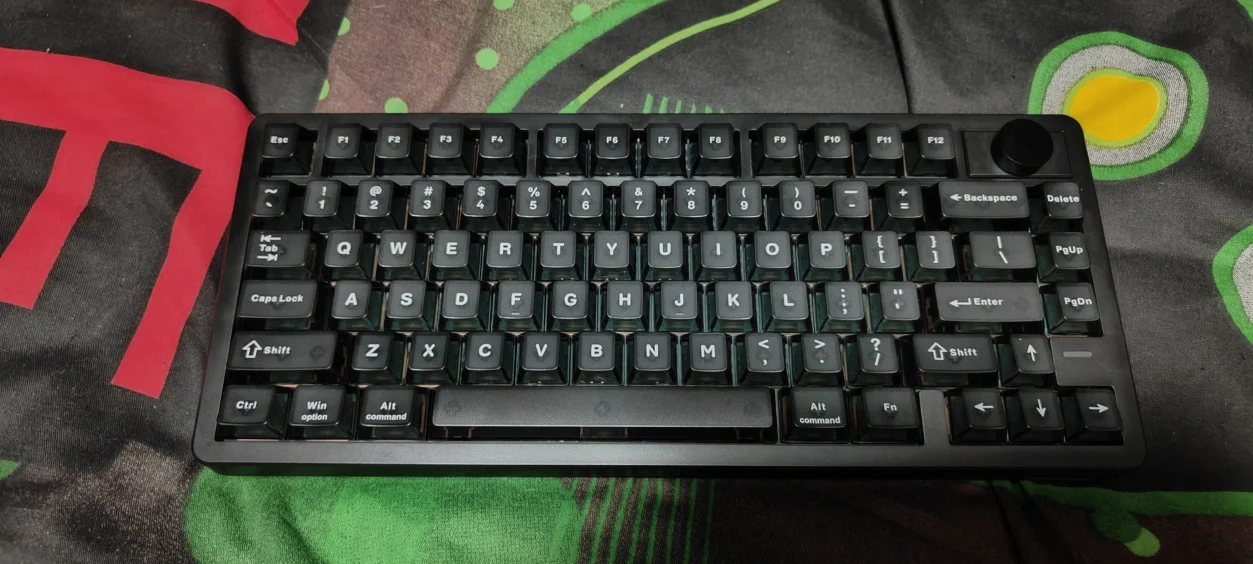
The EPOMAKER HE75 V2 is a 75% Hall Effect gaming keyboard with 80 keys and a rotary control knob.
Unlike a conventional mechanical keyboard, the HE75 V2 uses magnetic Hall Effect switches. This allows the keyboard to detect exactly how far a key has been pressed rather than simply registering a traditional on/off switch signal.
That opens up several features that conventional mechanical keyboards cannot provide in the same way, including adjustable actuation and Rapid Trigger.
The HE75 V2 can adjust actuation between 0.1mm and 3.5mm, with EPOMAKER advertising adjustment precision down to 0.005mm.
It also supports up to 8,000Hz polling over USB and 2.4GHz wireless.
That is an impressive specification for a keyboard that is currently positioned at a relatively aggressive price point.
EPOMAKER HE75 V2 Design and Build Quality
The HE75 V2 uses a compact 75% layout, which for me is one of the best keyboard formats available.
You retain the important navigation keys and function row without having a huge keyboard taking over your desk.
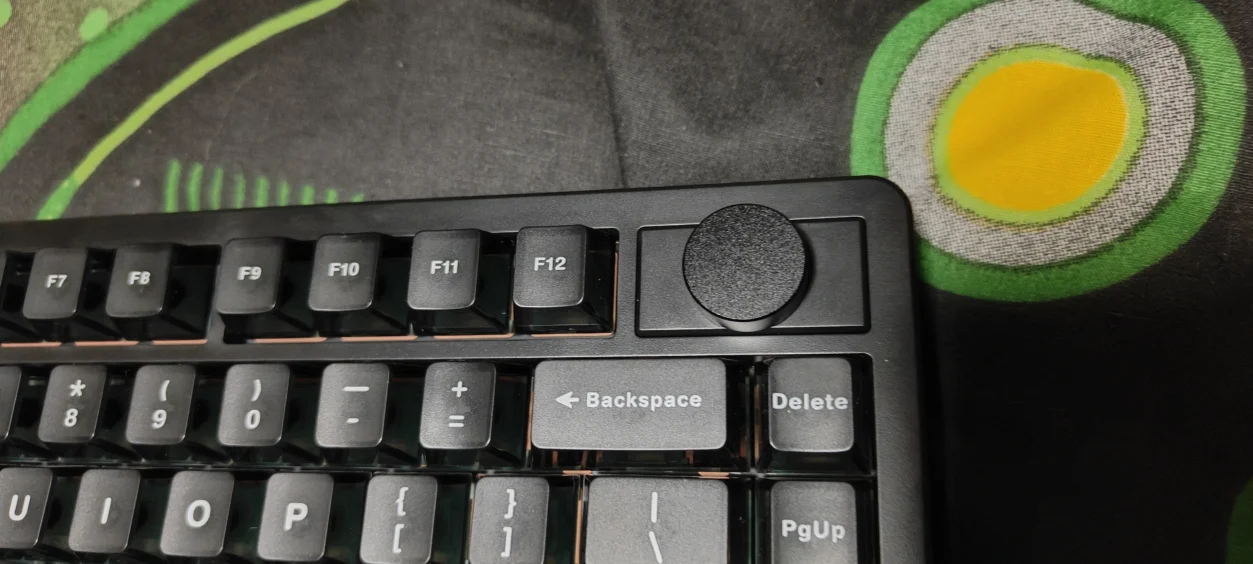
There is also a rotary knob, which can be used for additional controls and can be swapped for two keys if you prefer.
The compact footprint is particularly useful for gaming because it leaves considerably more space for your mouse.
That may sound like a small thing, but anyone who uses a lower mouse sensitivity will understand exactly why desk space matters.
You don’t want your keyboard getting in the way when you’re making a large mouse movement.
The HE75 V2 also feels reassuringly solid.
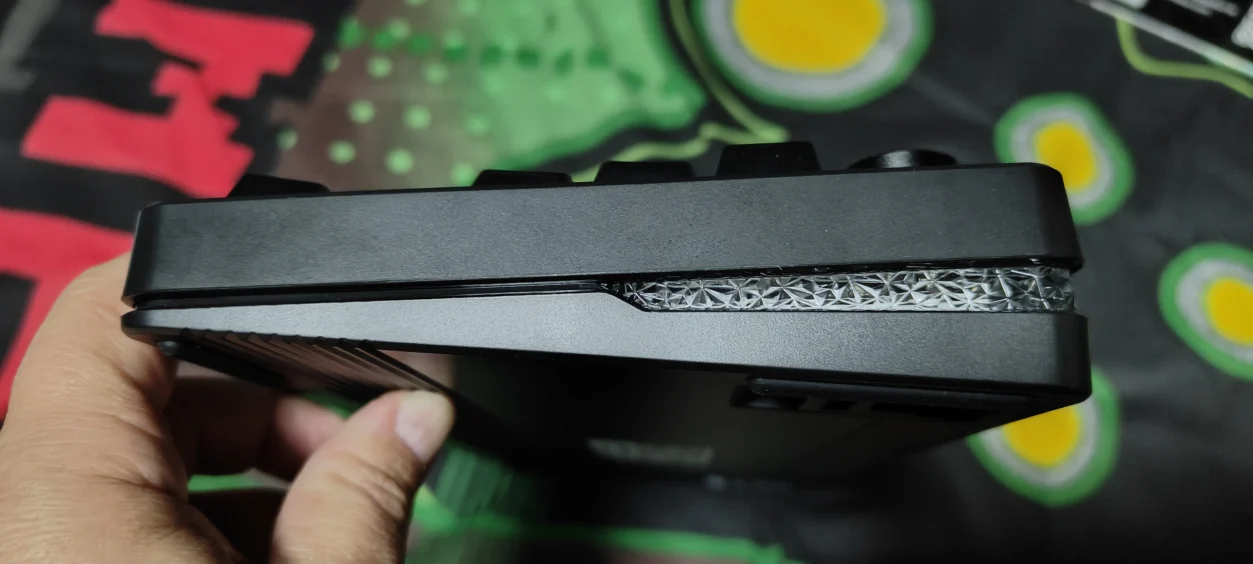
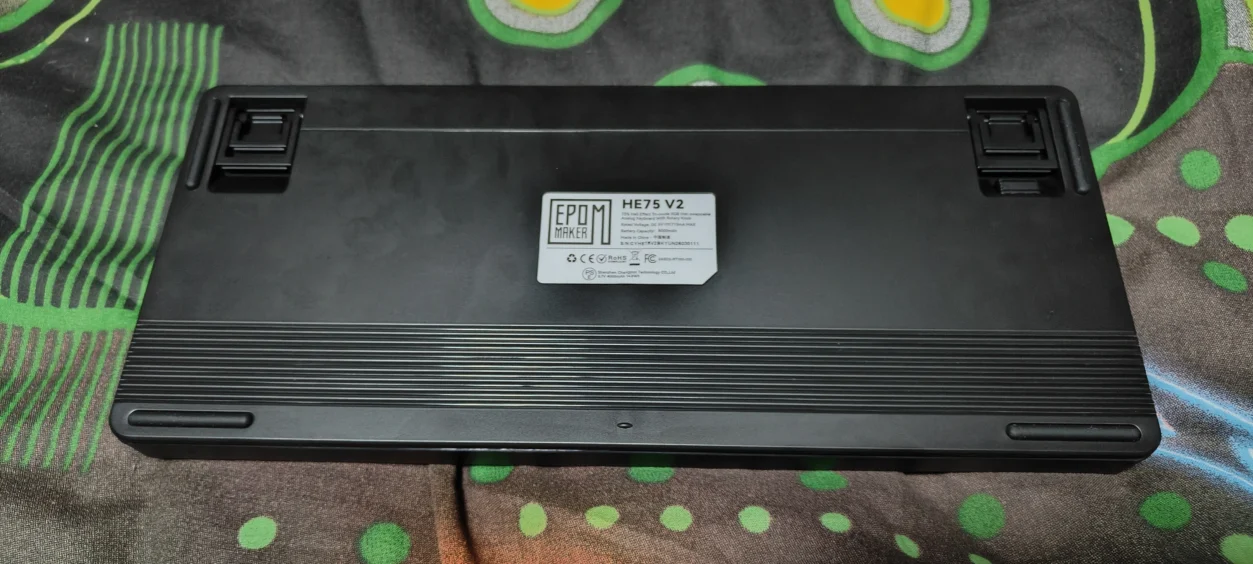
At around 1kg, this isn’t one of those ultra-light keyboards that moves around the desk every time you get slightly enthusiastic with your WASD keys.
Once positioned on the desk, it stays there.
75% Layout – The Sweet Spot for Gaming and Work?
I’ve always liked 75% keyboards because they provide a good compromise between functionality and desk space.
You still get the function row and navigation keys, while losing the large number pad and the additional bulk of a full-size keyboard.
For gaming, this is ideal.
For work, I haven’t found myself missing the number pad particularly often.
If you spend your entire day entering numerical data, obviously a full-size keyboard still makes more sense.
For writing, browsing, editing and general PC work, however, the HE75 V2‘s layout feels much more practical.
EPOMAKER Creamy Jade Hall Effect Switches
The HE75 V2 comes equipped with EPOMAKER Creamy Jade Hall Effect switches.
These are magnetic linear switches with a relatively light trigger force and adjustable actuation.
The big difference compared with conventional mechanical switches is how the key presses are detected.
Rather than relying on physical metal contacts to register the key press, the Hall Effect system detects the movement of the magnetic switch.
That allows EPOMAKER to offer considerably more control over when the keyboard considers a key to have been pressed.
And once you have used adjustable actuation, going back to a conventional keyboard can feel surprisingly primitive.
How Do the Creamy Jade Switches Feel?
The switches are smooth and relatively light.
There is no tactile bump to fight against, so the keys have a consistent linear movement from top to bottom.
For gaming, this works extremely well.
For typing, I also found them comfortable once I got used to the lighter feel.
The factory lubrication helps here, giving the switches a smooth action rather than the scratchiness you can sometimes get from cheaper mechanical switches.
How Does the EPOMAKER HE75 V2 Sound?
This is one area where the HE75 V2 surprised me.
Hall Effect gaming keyboards can sometimes sound rather harsh or hollow.
EPOMAKER has clearly put considerable effort into avoiding that.
The HE75 V2 uses a five-layer sound-dampening and gasket-mounted construction, designed to absorb vibration and reduce the hollow resonance that can make keyboards sound cheap.
The result is a deeper, more controlled sound.
EPOMAKER describes it as a creamy, marble-like thock, and while I wouldn’t normally get too carried away with keyboard sound terminology, it is genuinely a pleasant keyboard to type on.
There isn’t an annoying metallic ping or excessive case resonance.
For a keyboard designed around gaming performance, it is surprisingly refined.
Gaming With the EPOMAKER HE75 V2
This is obviously where the HE75 V2 needs to deliver.
There is no point having adjustable actuation and 8,000Hz polling if the keyboard doesn’t actually feel better in games.
Fortunately, this is where the HE75 V2 becomes particularly impressive.

Onimusha Way of the Sword
Onimusha: Way of the Sword was one of my main tests with the HE75 V2.
Action games like this don’t necessarily require the sort of extreme keyboard technology aimed at competitive FPS players, but the fast response of the Hall Effect switches still makes a difference.
Movement feels immediate.
There is very little effort required to repeatedly press movement keys, and the adjustable actuation means you can decide exactly how sensitive you want those keys to be.
I didn’t need an ultra-sensitive configuration for Onimusha, but having the option means the keyboard can be tuned to your preference rather than forcing you to accept a fixed actuation point.
It also makes movement feel incredibly responsive without making the keyboard feel twitchy.

Grim Dawn – Fangs of Asterkarn
Grim Dawn – Fangs of Asterkarn was another interesting test because ARPGs put a very different kind of workload on the keyboard.
You’re constantly moving, activating abilities and switching between different controls, but you aren’t necessarily making the same rapid movements you would in a competitive FPS.
The HE75 V2 handled it effortlessly.
The linear switches work particularly well when you’re repeatedly pressing the same keys, while the adjustable actuation lets you make the keyboard feel more responsive without requiring the keys to bottom out.
For a game where you can easily spend hours grinding through enemies and exploring, the combination of smooth switches and the comfortable sound profile makes the HE75 V2 a pleasure to use.

BioEden
BioEden gave me another opportunity to see how the keyboard behaved outside of the more obvious competitive-gaming use case.
Again, I found the HE75 V2 responsive without ever feeling over-sensitive.
That’s something I think EPOMAKER has got right.
Hall Effect keyboards can sometimes feel as though they are designed purely around chasing the lowest possible input delay.
The HE75 V2 doesn’t.
It feels like a good keyboard first, with the high-performance features available when you want to take advantage of them.
Is 8,000Hz Polling Really Necessary?
This is where I’m going to say something that might annoy keyboard manufacturers.
No, most people don’t need 8,000Hz polling.
There, I’ve said it. But that doesn’t mean I don’t want it.
The HE75 V2 can operate at up to 8,000Hz over USB and 2.4GHz wireless, which gives it an incredibly high report rate compared with a traditional 1,000Hz gaming keyboard.
For competitive gamers chasing every possible advantage, having that capability is excellent.
For the games I’ve been playing, however, I wouldn’t say that 8,000Hz suddenly transformed my gaming experience.
The difference is much more subtle than the marketing might suggest.
The important thing is that the keyboard feels extremely responsive, and the hardware gives you plenty of headroom for the future.
Rapid Trigger and Adjustable Actuation
This is arguably the biggest reason to buy the HE75 V2 over a conventional mechanical keyboard.
With traditional switches, the actuation point is fixed.
With the HE75 V2, you can adjust it.
You can set the actuation point as low as 0.1mm or increase it all the way to 3.5mm.
That means you can have extremely sensitive movement keys for gaming while using a deeper actuation point for keys where you want to avoid accidental presses.
Rapid Trigger takes this a step further by allowing the key to reset based on movement rather than requiring the key to return to a traditional fixed reset point.
For fast competitive games, this can be a significant advantage.
For my games, I found the biggest benefit was simply being able to tailor the keyboard to how I like to play.
EPOMAKER HE75 V2 for Typing and Work
This is where I think the HE75 V2 deserves more attention.
Hall Effect keyboards are often marketed almost exclusively towards gamers.
But I’ve been using the HE75 V2 for typing up work as well, and it works extremely well as an everyday keyboard.
The 75% layout provides plenty of functionality without taking up too much desk space.
The switches are smooth. The stabilisers are controlled. The gasket mount takes some of the harshness out of the typing experience. And the sound is much nicer than I expected from a performance-focused gaming keyboard.
After several hours of typing, I didn’t feel like I was compromising by using a gaming keyboard for work. That’s important. A keyboard that only feels good for gaming isn’t particularly useful to me.
The HE75 V2 is much more versatile than that.
The EPOMAKER HE75 V2 Software
The HE75 V2 uses EPOMAKER‘s software to configure its Hall Effect features.
This is where you can adjust actuation, configure Rapid Trigger and customise other keyboard functions.
You can also configure macros, shortcuts and the RGB lighting.
For a Hall Effect keyboard, the software is obviously an important part of the experience because the hardware alone can’t provide the flexibility that makes these keyboards interesting.
The good news is that the HE75 V2 provides plenty of configuration options.
Tri-Mode Wireless Connectivity
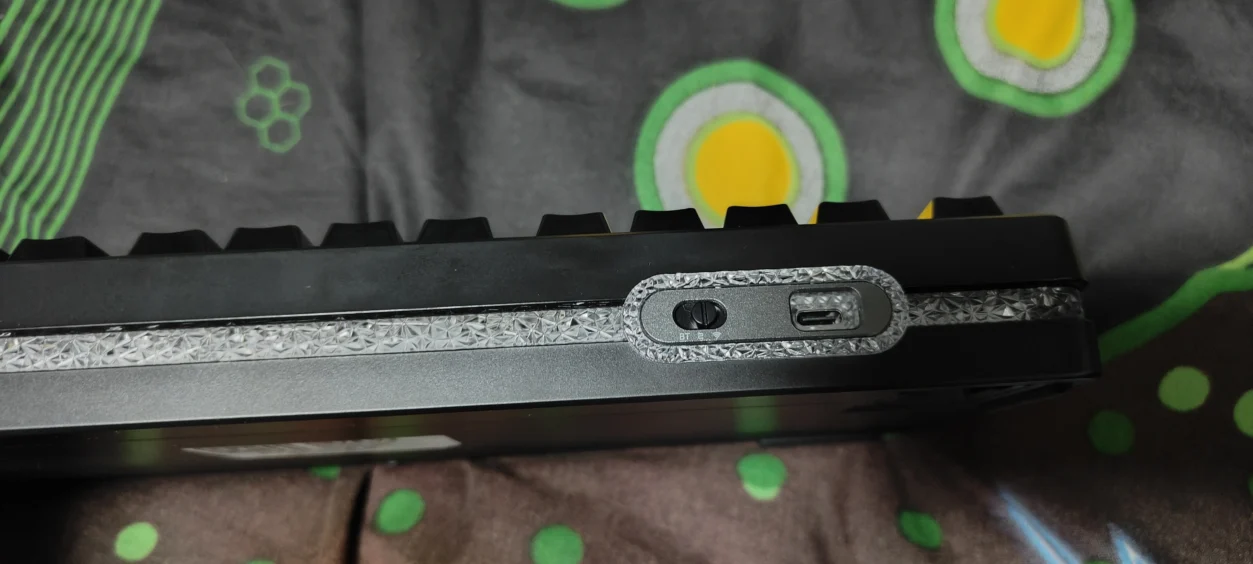
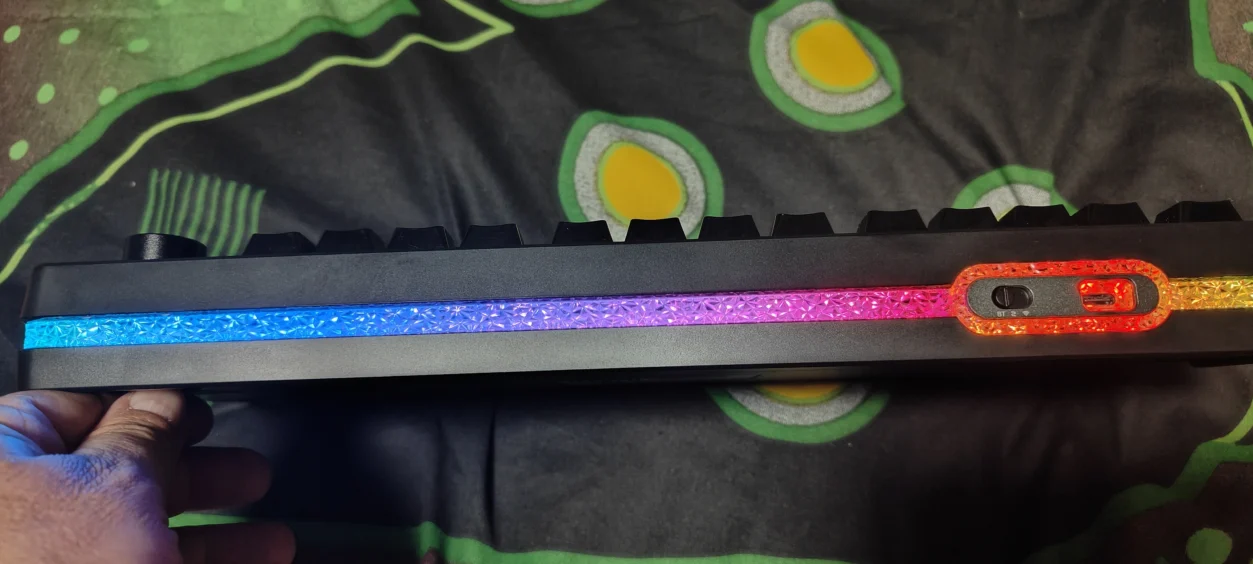
The HE75 V2 supports 2.4GHz wireless, Bluetooth 5.0 and USB-C wired connectivity.
For gaming, I’d use 2.4GHz. It gives you the performance you want without having a cable running across the desk.
USB-C is obviously the best choice when you’re looking for maximum consistency or charging the keyboard.
Bluetooth is useful for secondary devices and general productivity.
Having all three options makes the HE75 V2 considerably more versatile than a keyboard designed purely to sit permanently on a gaming PC.
Battery Life
EPOMAKER has fitted the HE75 V2 with a huge 8,000mAh battery.
That’s considerably larger than many wireless mechanical keyboards.
EPOMAKER rates continuous use with RGB lighting enabled at up to around 20 hours, with battery life depending heavily on lighting and usage settings. As I love RGB lighting I ended up charging it up much sooner than expected, but that ok.
That means the HE75 V2 isn’t going to run forever with every RGB effect turned on at maximum brightness, but the large battery provides plenty of capacity for normal wireless use.
If you’re using the keyboard for work with the RGB lighting turned down or disabled, I would expect much longer practical battery life.
RGB Lighting
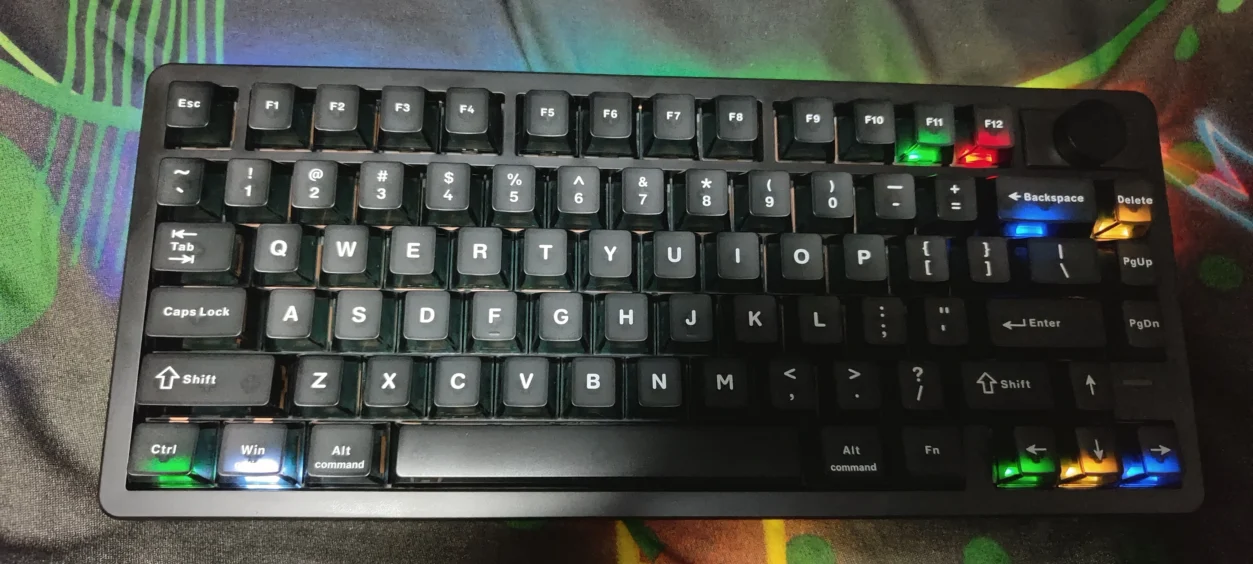
The HE75 V2 includes south-facing per-key RGB lighting, along with a front light rail.
The lighting is bright and gives the keyboard plenty of visual personality. Personally, I tend to prefer more subtle lighting on keyboards I use for work, but the option is there if you want the full gaming aesthetic.
The south-facing LEDs also work nicely with the Cherry-profile keycaps.
Keycaps and Typing Experience
The HE75 V2 uses Cherry-profile PC keycaps with a matte transparent finish.
The profile feels familiar if you’re coming from a traditional mechanical keyboard, which helps make the HE75 V2 easy to adapt to.
They also complement the RGB lighting nicely.
More importantly, the keycaps don’t feel like an afterthought.
Combined with the Creamy Jade switches and gasket-mounted construction, the entire keyboard feels considerably more premium than its price would suggest.
Hot-Swappable Hall Effect PCB
The HE75 V2 also has a hot-swappable PCB, although there is an important distinction here.
This isn’t the same as a conventional hot-swap mechanical keyboard where you can throw almost any MX-style switch into it.
The HE75 V2‘s PCB is designed around compatible Hall Effect switches.
That still gives enthusiasts the ability to experiment with compatible magnetic switches without soldering, but you need to make sure the replacement switches are supported before buying them.
It is a useful feature and adds some longevity to the keyboard.
What I Like About the EPOMAKER HE75 V2
- Excellent Hall Effect gaming performance
- Adjustable 0.1–3.5mm actuation
- 0.005mm adjustment precision
- Rapid Trigger support
- Up to 8,000Hz polling
- Very smooth Creamy Jade switches
- Excellent typing experience
- Five-layer sound dampening
- Gasket-mounted construction
- Excellent 75% layout
- Tri-mode connectivity
- Large 8,000mAh battery
- Hot-swappable Hall Effect PCB
- RGB lighting and front light rail
- Rotary knob
What Could Be Better?
The HE75 V2 is an excellent keyboard, but there are still a few things worth considering.
Firstly, the huge number of Hall Effect settings can be slightly overwhelming if you’re coming from a conventional mechanical keyboard.
It is very easy to spend more time tweaking actuation and Rapid Trigger settings than actually playing your games.
I’d recommend starting with sensible settings and only adjusting them when you understand what you actually want to change.
The second consideration is that the standard HE75 V2 is specifically designed around Hall Effect switches.
While the PCB is hot-swappable, compatibility isn’t as broad as a conventional mechanical hot-swap board.
Finally, 8,000Hz polling is impressive, but I wouldn’t buy the keyboard purely because of that number.
The biggest reason to buy the HE75 V2 is the combination of Hall Effect switches, adjustable actuation, Rapid Trigger and excellent overall typing quality.
Who Is the EPOMAKER HE75 V2 For?
The HE75 V2 is aimed at gamers who want the advantages of Hall Effect technology without sacrificing the keyboard’s usefulness as an everyday device.
It is particularly attractive if you play games where rapid and precise movement matters.
Competitive FPS players will obviously get the most obvious benefit from Rapid Trigger and adjustable actuation.
But that’s not the only reason I’d recommend it.
For RPGs like Onimusha: Way of the Sword and Grim Dawn – Fangs of Asterkarn, the smooth switches and responsive movement are excellent.
For general games like Bio Eden, it provides a responsive and comfortable control method.
And for work, it is simply a very good keyboard to type on.
EPOMAKER HE75 V2 Review Verdict
The EPOMAKER HE75 V2 is one of those keyboards that looks like it is designed purely to win a specification battle.
- 8,000Hz polling.
- 005mm adjustment.
- Hall Effect switches.
- Rapid Trigger.
- 8,000mAh battery.
On paper, it is almost excessive.
But after using it for gaming and work, I think the biggest strength of the HE75 V2 is that it doesn’t feel like a one-trick gaming keyboard.
Onimusha: Way of the Sword felt responsive and precise.
Grim Dawn – Fangs of Asterkarn benefited from the smooth switches and rapid inputs.
Bio Eden showed that the keyboard isn’t dependent on competitive gaming to feel good.
And then there is the everyday stuff.
Typing up work on the HE75 V2 is genuinely enjoyable.
The five-layer sound-dampening system, gasket mount and Creamy Jade switches give it a satisfying typing experience that I wouldn’t necessarily expect from a keyboard marketed so heavily around gaming performance.
That’s what ultimately makes the HE75 V2 stand out to me.
It doesn’t force you to choose between a keyboard that’s great for gaming and one that’s enjoyable to use for work.
You get both.
Could I notice the difference between 1,000Hz and 8,000Hz in every game? No.
Would I notice a difference between the HE75 V2 and a cheap conventional mechanical keyboard? Absolutely.
The Hall Effect technology is the star of the show, but the rest of the keyboard has been built well enough that it doesn’t feel like everything else was sacrificed to achieve those headline numbers.
The 75% layout is excellent, the switches are smooth, the sound is surprisingly good, the wireless connectivity is useful and the huge battery gives it plenty of flexibility.
There is a learning curve when you first start playing around with actuation and Rapid Trigger, but that’s part of the fun.
Once you’ve found settings that suit you, the HE75 V2 simply becomes a very responsive keyboard that gets out of the way and lets you play.
For anyone looking for their first Hall Effect keyboard, this is particularly easy to recommend.
You don’t have to spend a fortune to get into the technology, and you aren’t sacrificing everyday usability to get it.
The EPOMAKER HE75 V2 is an excellent gaming keyboard that just happens to be equally good when you stop gaming and start working.
EPOMAKER HE75 V2 Review Summary
Is the EPOMAKER HE75 V2 a good gaming keyboard?
Yes. The HE75 V2 combines Hall Effect switches, adjustable actuation, Rapid Trigger and up to 8,000Hz polling, making it a highly responsive gaming keyboard while remaining comfortable for everyday use.
What are Hall Effect switches?
Hall Effect switches use magnetic sensing to detect key movement instead of relying on traditional mechanical contacts. This allows features such as adjustable actuation and Rapid Trigger.
Does the EPOMAKER HE75 V2 have Rapid Trigger?
Yes. Rapid Trigger is one of the key features of the HE75 V2 and allows key activation and reset behaviour to be adjusted dynamically.
Can you adjust the actuation point on the HE75 V2?
Yes. The HE75 V2 allows the actuation point to be adjusted between 0.1mm and 3.5mm, with adjustment precision down to 0.005mm.
Does the EPOMAKER HE75 V2 support 8,000Hz polling?
Yes. The keyboard supports up to 8,000Hz polling when connected using USB-C or 2.4GHz wireless.
Is the EPOMAKER HE75 V2 wireless?
Yes. It supports 2.4GHz wireless, Bluetooth 5.0 and USB-C wired connectivity.
Is the EPOMAKER HE75 V2 good for typing?
Yes. The gasket-mounted construction, five-layer sound dampening and smooth Creamy Jade switches make the HE75 V2 surprisingly enjoyable for everyday typing and work.
Does the HE75 V2 have hot-swappable switches?
Yes, although the standard HE75 V2 uses a Hall Effect PCB and therefore requires compatible magnetic Hall Effect switches rather than unrestricted conventional mechanical switches.
How large is the EPOMAKER HE75 V2 battery?
The HE75 V2 features an 8,000mAh battery. Battery life depends on factors such as connection method, polling rate and RGB lighting.
Is the EPOMAKER HE75 V2 worth buying?
Yes. If you’re looking for a compact Hall Effect gaming keyboard that can also function as a comfortable everyday work and typing keyboard, the HE75 V2 offers an impressive combination of performance, customisation and usability.
The EPOMAKER HE75 V2 is a feature-packed Hall Effect gaming keyboard that delivers excellent gaming performance without forgetting that a keyboard also needs to be enjoyable to use every day.
Disclaimer: EPOMAKER supplied the HE75 V2 for the purpose of this review. All opinions and conclusions are my own.
